Table of contents
Introduction
Daily 1.26.0 for macOS and Daily 1.2.0 for iOS introduced more flexible time rounding. You can choose the rounding interval, round to the nearest interval or always up, and decide whether Daily rounds time across the selected period or separately for each day.
Time rounding options
On macOS, click the Daily icon in the menu bar, select Preferences, and open the General tab:
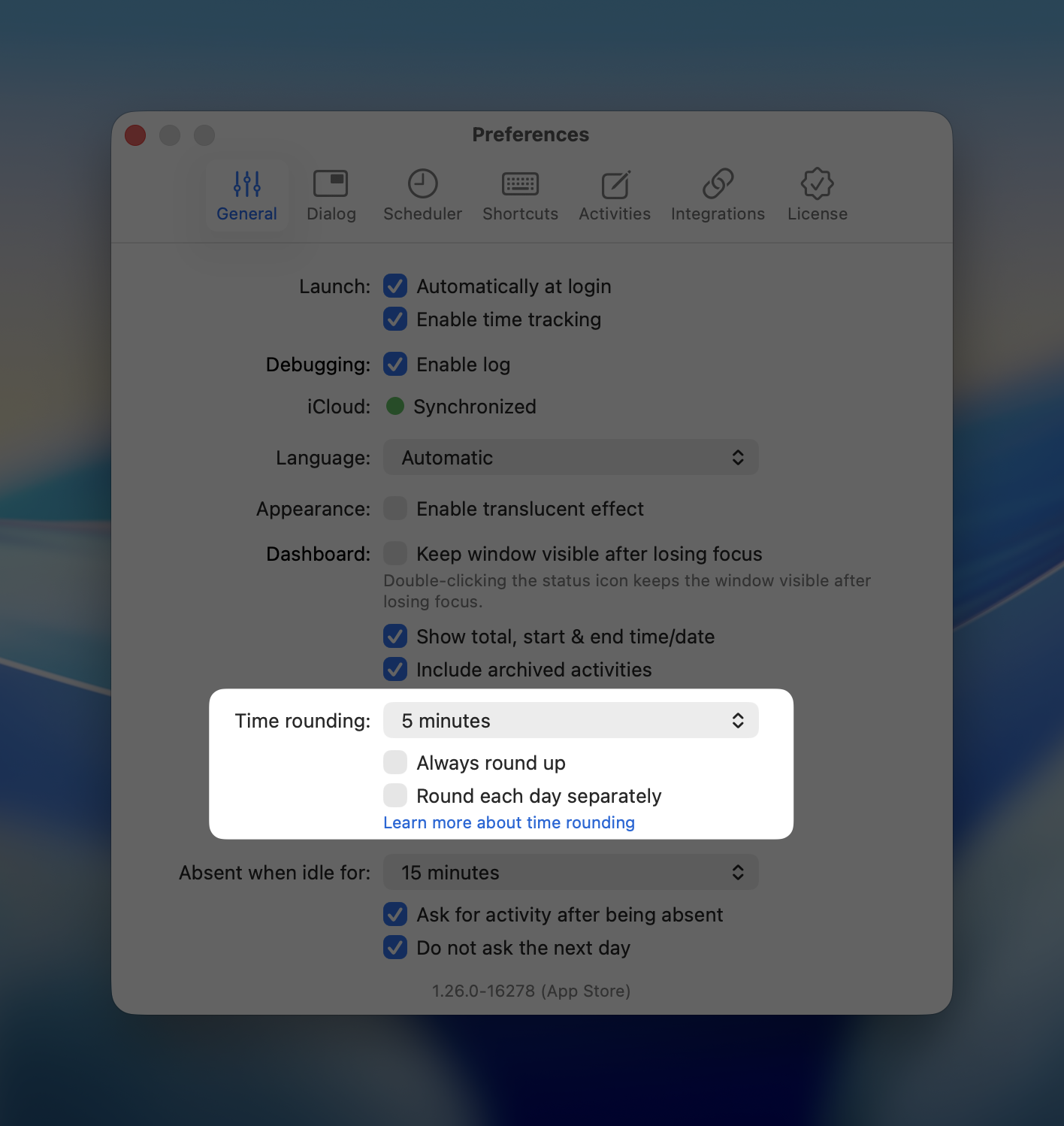
On iOS, open the Settings app, then go to Apps, Daily, and find the Time Rounding section.
The following options are available:
Interval
Daily can round time to intervals of:
1 minute
5 minutes
6 minutes
15 minutes
30 minutes
1 hour
The default interval is 1 minute.
Daily rounds each activity's duration. If a duration is rounded to zero, it is not displayed.
Always round up
By default, Daily rounds durations to the nearest interval. Enable Always round up if you want every duration to be rounded upward instead.
For example, with a 15-minute interval:
20 minutes rounds to 15 minutes when rounding to the nearest interval.
20 minutes rounds to 30 minutes when always rounding up.
7 minutes rounds to zero when rounding to the nearest interval, so it is hidden.
7 minutes rounds to 15 minutes when always rounding up.
Always rounding up can be useful when you charge a minimum amount of time for any work performed.
Round each day separately
This option determines when Daily applies rounding to periods that span multiple days.
When Round each day separately is disabled, Daily first combines an activity's raw duration across the selected period, then rounds the result once.
When it is enabled, Daily rounds the activity's duration separately for each day, then adds those rounded daily durations together.
For example, suppose you work for the same client for 10 minutes on Monday and 10 minutes on Tuesday. With a 30-minute interval and Always Round Up enabled:
With Round each day separately disabled, Daily combines the durations into 20 minutes and rounds the total up to 30 minutes.
With Round each day separately enabled, Daily rounds each day up to 30 minutes, resulting in a total of 1 hour.
This effectively lets you apply a minimum billable interval for each day on which you worked. The setting makes no difference when viewing a single day.
Time rounding when exporting
Time rounding is disabled by default when exporting through Daily's user interface or AppleScript. This ensures exports contain the original recorded durations unless you explicitly choose otherwise.
For CSV, JSON, and PDF exports in Daily, enable Apply as configured in preferences in the export dialog. Daily will then use the interval, mode, and daily rounding option configured in Preferences.
Summary exports apply those settings to each activity. Detailed reports contain activity-day values, so each displayed row or cell is rounded separately per day.
To apply your configured rounding settings through AppleScript, add time rounding true.
For example:
set reportStart to (current date) - (7 * days)

set reportEnd to current date

set destination to POSIX file "/Users/yourname/Desktop/daily.csv"


tell application "Daily"

    export csv with report "summary" from reportStart to reportEnd time rounding true to file destination

end tell
Omit time rounding or set it to false to export raw durations without rounding.